GPS, Maps, Driving Directions
AppVerge Technologies, LLCMaps & Navigation
4.04.97K Reviews
- Version
- 14.34
- Installs
- 100.00M
- Age Rating
- Everyone
Screenshots
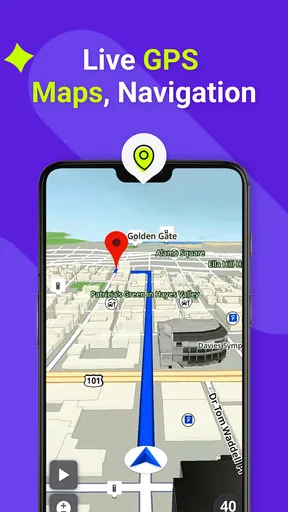
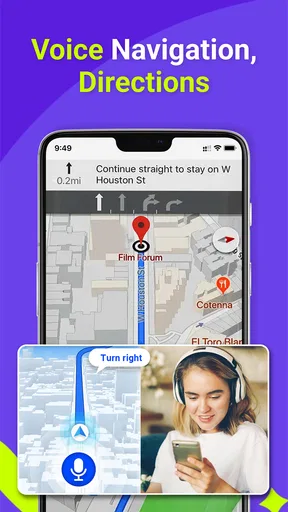
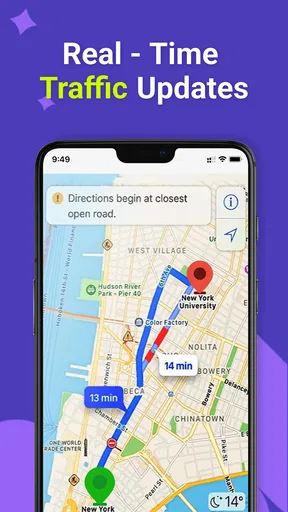
Our Review of GPS, Maps, Driving Directions
 Analysis by Appyee
Have you ever been in the middle of nowhere, desperately trying to figure out the quickest way to your destination? If you’re like me and directionally challenged, then the GPS, Maps, Driving Directions app might just become your new best friend. This app promises to take the stress out of navigating unfamiliar roads and help you find the fastest routes, all while keeping it user-friendly.
Getting Started with Ease
First things first, downloading the GPS, Maps, Driving Directions app is a breeze. Available on both Android and iOS platforms, it’s just a click away from transforming your travel experience. Once installed, the app opens up to a clean and straightforward interface. No clutter, just the essentials you need to get from point A to point B without breaking a sweat.
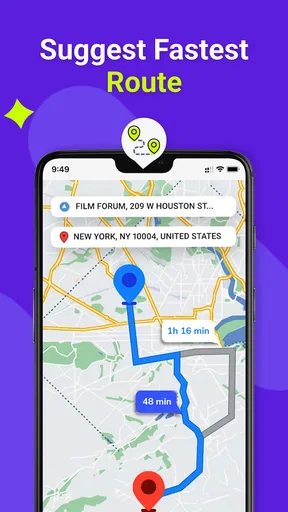
The app is designed with the user in mind, making it super intuitive. You don’t need to be tech-savvy to dive in and start exploring its features. Just type in your destination, and voila! The app presents you with multiple route options, complete with estimated travel times and real-time traffic updates. I mean, who doesn’t love avoiding those dreaded traffic jams?
Features You’ll Love
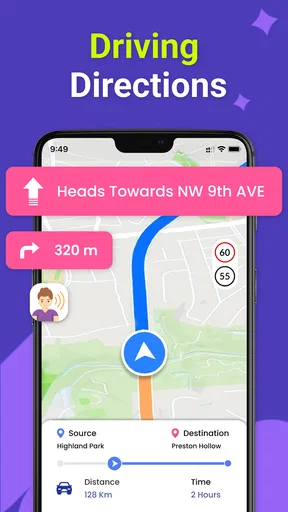
One of my favorite features has to be the voice-guided navigation. It’s like having a co-pilot who never sleeps and always knows the way. No more staring at your phone screen while trying to drive! Plus, the voice is pretty pleasant, so you won’t feel like you’re being bossed around.
Another neat feature is the offline maps. Ever been caught in a no-signal zone? Yeah, me too. With this app, you can download maps in advance. So, even if you’re trekking through the wilderness or exploring a new city with spotty reception, you’re covered.
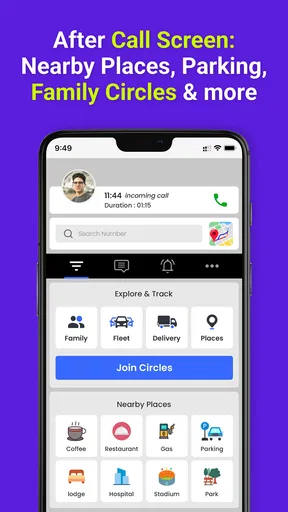
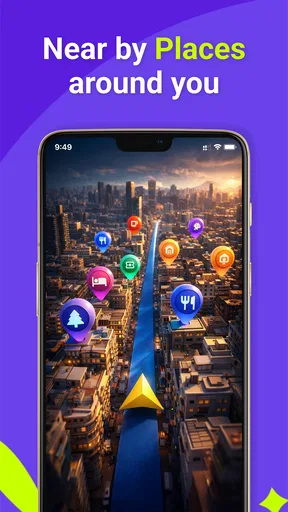
The app also offers a points of interest (POI) feature. Whether you’re hunting for the nearest gas station, a nice coffee spot, or a hidden gem of a restaurant, this app serves up suggestions to make your journey more enjoyable. It’s like having a travel guide in your pocket.
Why It Stands Out
What sets this app apart from the myriad of navigation apps out there is its accuracy and reliability. The real-time updates are impressively quick, helping you dodge delays and find alternative routes on the fly. It’s like having insider traffic knowledge without the hassle of switching radio stations.
Moreover, the app frequently updates its maps to ensure you’re always on the right path. Whether roads are closed or new ones have opened, the app keeps you informed so you’re never left guessing.
And let’s not forget about the design. The app’s interface is modern yet simple, making navigation a smooth sail. Even if your phone is a bit older, the app runs seamlessly without any lag, which is a major plus in my book.
The Final Verdict
All in all, GPS, Maps, Driving Directions is a solid choice for anyone looking to enhance their travel experience. It offers a blend of essential features, user-friendliness, and reliability that’s hard to beat. Whether you’re a frequent traveler or just someone who occasionally gets lost on the way to the grocery store, this app is a game-changer.
So, if you’re ready to take the stress out of driving and enjoy a smoother journey, give this app a try. You might just find yourself wondering how you ever managed without it. Safe travels!
Privacy and Permissions
See what permissions an app requests and how it handles your data.
- Location
- approximate location (network-based), precise location (GPS and network-based)
- Phone
- read phone status and identity
- Camera
- take pictures and videos
- Microphone
- record audio
- Wi-Fi connection information
- view Wi-Fi connections
- Device ID & call information
- read phone status and identity
- Other
- view network connections, change network connectivity, connect and disconnect from Wi-Fi, full network access, run at startup, draw over other apps, prevent device from sleeping, Google Play license check, read Google service configuration
Verdict
Strengths of GPS, Maps, Driving Directions
- User-friendly interface for easy navigation.
- Accurate real-time traffic updates.
- Offline maps for data-free navigation.
- Customizable routes with alternative options.
- Integrates with calendar for trip planning.
Limitations of GPS, Maps, Driving Directions
- Consumes significant battery power.
- Occasional GPS signal loss in rural areas.
- In-app ads can be distracting.
- Limited language options for voice navigation.
- Requires frequent updates for new maps.
Similar Picks in This Category
View All
Uber - Request a ride
Uber Technologies, Inc.4.7


inDrive. Rides with fair fares
® SUOL INNOVATIONS LTD4.8

Yandex Go: Taxi Food Delivery
Mikromobilnost LLC Belgrade4.8

Bolt: Request a Ride
Bolt Technology4.8

Rapido: Bike-Taxi, Auto & Cabs
Rapido Bike Taxi4.8
You May Also Like
View All


Frequently Asked Questions
What are the main features of the GPS, Maps, Driving Directions app?
The app offers real-time GPS navigation, detailed maps, and up-to-date traffic alerts. Users can also access offline maps, voice-guided turn-by-turn directions, and route planning with multiple stops. It includes features like speed limit warnings and nearby points of interest, enhancing both convenience and safety on the road.
Does the app work offline, and how accurate is it?
Yes, the app provides offline maps that can be downloaded for use without an internet connection. This feature ensures reliability even in remote areas. The maps are highly accurate, thanks to regular updates, though users should be mindful of downloading the latest versions to maintain precision.
Is the app free to use, or does it require a subscription?
The app is free to download and offers many of its core features without charge. However, advanced functionalities such as ad-free usage, premium map updates, and exclusive traffic data may require a subscription. Users can try the premium features for a limited time before committing to a plan.
How does the app ensure user safety during navigation?
The app includes several safety features, such as real-time traffic alerts, speed limit notifications, and warnings about road conditions. Voice-guided navigation allows drivers to focus on the road, while automatic rerouting helps avoid traffic congestion. These features collectively enhance user safety during travel.
What devices are compatible with the GPS, Maps, Driving Directions app?
The app is available for both Android and iOS devices, supporting a wide range of smartphones and tablets. Users should ensure their device meets the minimum system requirements, such as having the latest operating system version and sufficient storage space, to optimize performance and access all features.
